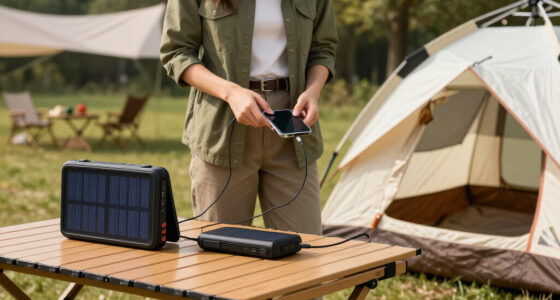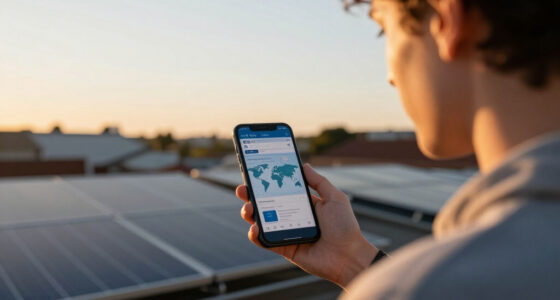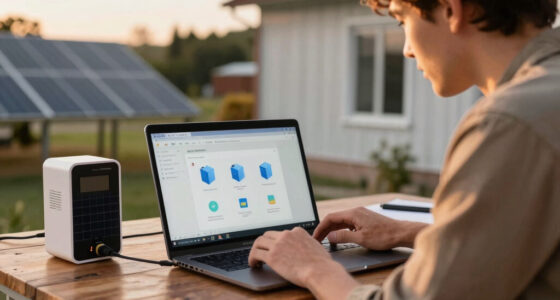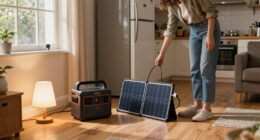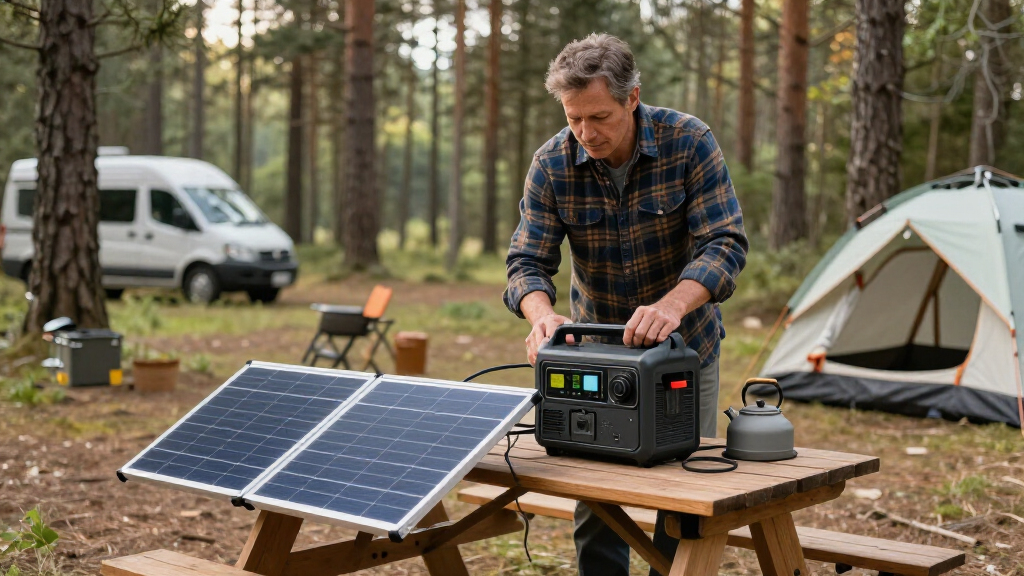
This guide walks you through the full process of getting a portable solar generator working: choosing the right size for your needs, charging it for the first time, connecting solar panels, and safely running your devices. By the end, you will have a charged unit that reliably powers your chosen appliances at home, on a camping trip, or during an outage.

Get backup power and energy gear delivered free with Prime
- Fast, free delivery on millions of items
- Prime Video, Amazon Music and more included
- Member-only deals all year
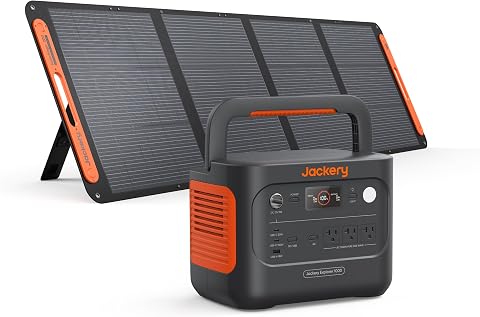
Jackery Solar Generator 1000 v2 with 200W Solar Panel
- ✔ Battery capacity: 1,070Wh
- ✔ Battery type: LFP (LiFePO4)
- ✔ AC output: 1,500W (3,000W surge peak)
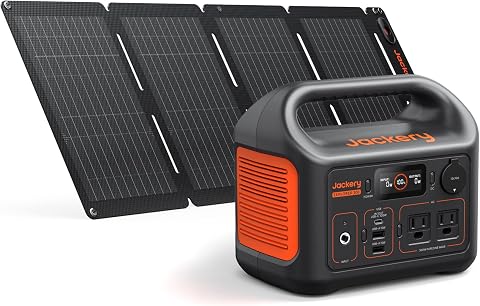
Jackery Explorer 300 Portable Power Station with 40W Solar Panel
- ✔ Battery capacity: 292Wh
- ✔ Battery chemistry: LiFePO4
- ✔ Rated output: 300W (600W surge peak)
This guide is written for beginners. No electrical background is required — if you can plug in a lamp and read a display, you can do this. Expect about 1-2 hours for the initial setup and first full charge cycle, and just a few minutes of routine use afterward.
Difficulty: Beginner | Time: 1-2 hours for initial setup; 5-30 minutes for regular use
What You’ll Need
Tools & Materials:
- A portable solar generator (power station) sized to your needs
- One or more compatible solar panels (if charging from the sun)
- Solar panel cable with the correct connector for your unit (MC4, Anderson, or 8mm, depending on brand)
- The unit’s AC wall charger and charging cable
- A surge protector or grounded wall outlet for indoor charging
- The user manual that came with your unit
- A flat, dry, shaded workspace near a window or outlet for setup
Knowledge:
- Basic ability to read wattage labels on appliances and device chargers
- Familiarity with plugging in standard AC and USB devices
- Ability to check a digital display or app for battery percentage
Before starting, gather the wattage information for every device you plan to run. Look for the label on the appliance or its power brick — it will say something like “Input: 120V, 60Hz, 600W” or show watts (W) directly. Write these numbers down. You will use them to confirm your generator is sized correctly and to avoid overloading it later. If a device only lists amps and volts, multiply them together to get watts (for example, 5A x 120V = 600W).
Jackery Solar Generator 1000 v2 with 200W Solar Panel
For most buyers shopping this category, the Solar Generator 1000 v2 hits the sweet spot where capacity, output, and portability overlap. Its 1,070Wh LFP battery stores roughly three and a half times the energy of the Explorer 300, which is the difference between topping up devices and actually running a refrigerator through an overnight outage. The 1,500W AC output with a 3,000W surge peak covers nearly every household appliance short of a full-size air conditioner — a category the two smaller kits in this lineup simply cannot touch.What makes this our top pick rather than just the biggest one is that the penalties are manageable. At 23.8 lbs with a foldable handle, it’s carryable even if it won’t disappear into a backpack the way the Explorer 300 does. The included 200W panel is also proportionally generous: at roughly six hours to reach 80% via solar, this large kit actually refills faster from the sun than the smaller Explorer 300 with its 40W panel. Compared with the ZeroKor, the gap is even wider — the ZeroKor’s panel is smaller and its station can’t disclose capacity, while the 1000 v2 adds app-controlled charging, three pure sine wave outlets, and a five-year warranty.The honest caveats: the advertised one-hour AC fast charge requires enabling an emergency charging mode in the app, which is an extra step some buyers won’t discover on their own, and the station and panel ship separately, so don’t assume a missing box means a missing order. But if you’re buying one kit to cover camping trips and power outages, this is the one that does both jobs without compromise.
Pros:
- 1,500W AC output and 3,000W surge peak handle appliances, not just phones and laptops
- 200W included panel refills the large battery in roughly six hours to 80%
- App-controlled charging modes, LED lighting, and three pure sine wave outlets
- LFP battery rated for 4,000 cycles, backed by a five-year warranty
Cons:
- One-hour fast charging requires enabling emergency mode in the app first
- At 23.8 lbs, it’s a two-handed carry rather than a grab-and-go device
- Power station and solar panel ship separately
Best for: Campers, van lifers, and homeowners who want a single kit capable of running real appliances during outages
Not ideal for: Backpackers and anyone who needs to carry their power source long distances on foot
Bottom line: The most complete kit in this lineup — big enough for emergencies, smart enough for daily use, and paired with a panel that actually keeps pace with its battery.
“The most complete kit in this lineup — big enough for emergencies, smart enough for daily use, and paired with a panel that actually keeps pace with its battery.”
Jackery Explorer 300 Portable Power Station with 40W Solar Panel
Not everyone needs to run a fridge. If your realistic load is a phone, a camera battery, a lantern, and maybe a laptop, the Explorer 300 bundle is the smarter spend — and dramatically easier to live with. At 7.5 lbs with an integrated handle, it goes where the 1000 v2 can’t: a backpack, a kayak dry bag, a bedside table as an emergency phone-and-light station. That mobility is its entire reason for existing, and it executes it well.Crucially, Jackery didn’t strip out the parts that matter for longevity to hit the smaller size. You get the same LiFePO4 chemistry rated for over 4,000 charge cycles as the flagship model, plus a 100W USB-C PD port that can charge a modern laptop at full speed without touching the AC outlets. Compared with the similarly-rated ZeroKor, the Explorer 300 is the more trustworthy pick for one quiet reason: Jackery publishes its capacity (292Wh), chemistry, and cycle life, while the ZeroKor discloses none of its battery specs — a significant omission when you’re trusting a product to hold energy safely for years.The tradeoff is the panel. The included 40W panel needs about 7.5 hours of good sun to reach 80%, which means realistic full solar days, not afternoon touch-ups — ironic given that the smaller battery should theoretically recharge faster. If you mostly recharge from an outlet before trips and treat the panel as a slow trickle-topper, this kit shines. If solar is your primary recharge method, step up to the 1000 v2 whose bigger panel closes the loop faster. Note that the station and panel also ship separately here.
Pros:
- Genuinely portable at 7.5 lbs with an integrated carry handle
- LiFePO4 battery rated for over 4,000 cycles despite the small size
- 100W USB-C PD port charges laptops at full speed
- Powers up to six devices simultaneously
Cons:
- 40W panel takes about 7.5 hours of sun to reach 80% — solar-first users should look elsewhere
- 292Wh capacity runs out quickly with continuous loads
- Power station and solar panel may ship separately
Best for: Hikers, weekend campers, and anyone wanting a lightweight emergency kit for phones, lights, and laptops
Not ideal for: Anyone who needs to run appliances, CPAP machines overnight, or anything approaching 300W for extended periods
Bottom line: The right-sized kit for people who count ounces and only need device charging — same premium battery chemistry as the big model, at a third of the weight.
“The right-sized kit for people who count ounces and only need device charging — same premium battery chemistry as the big model, at a third of the weight.”
As an Amazon Associate we earn from qualifying purchases.
Before You Start
Safety context: Portable solar generators are battery-based units with built-in inverters, so they produce no exhaust and are safe to use indoors — unlike gas generators, which must never be run inside. However, the batteries store significant energy. Keep the unit away from water, direct heat, and flammable materials, and never disassemble it. Charge and store it between roughly 32°F and 104°F (0-40°C). Do not block the cooling vents while it is running, and keep it out of reach of children.
Placement note: Set up the generator on a hard, flat, non-flammable surface — not on a bed, carpet, or couch. Vents need clearance on all sides, typically a few inches.
Step-by-Step Instructions
Step 1: Calculate your power requirements
Add up the running wattage of every device you want to power at the same time. Then estimate how long you will run each one per day. Multiply watts by hours to get watt-hours (Wh) for each device, and add those together. For example, a 60W laptop running 4 hours uses 240Wh; a 150W refrigerator cycling on and off uses roughly 800-1,200Wh per day.
Choose a generator whose capacity (listed in Wh) is at least 20-30% larger than your daily watt-hour total, and whose inverter output (listed in watts, e.g. 1000W) exceeds your combined running wattage by at least 25%.
Tip: Devices with motors or compressors — refrigerators, power tools, air compressors, fans with motors — draw a startup surge that can be 2-3 times their running wattage for a second or two. Check that your unit’s surge rating covers this. Most units list both, such as “1000W continuous, 2000W surge.”
Check: You have a written list of devices, their wattages, your total watt-hour need, and a generator whose capacity and inverter rating both exceed those numbers with margin.
Step 2: Unpack and inspect the unit
Remove the generator from its packaging and place it on your flat, hard workspace. Inspect the casing for cracks, dents, or damage from shipping. Confirm all included accessories are present: AC charger, solar panel cable, and manual. Locate the cooling vents, the display, and every output port (AC outlets, USB-A, USB-C, DC/car port, and the solar input port, usually marked with a panel icon).
Tip: If the display shows 30% charge or lower out of the box, that is normal — batteries ship partially charged for safety. Do not assume it is defective.
Check: The casing is undamaged, all ports are visible and clean, and the display powers on when you press the main power button.
Step 3: Perform the first full charge from AC power
Plug the unit’s AC charger into a grounded wall outlet, then connect it to the charging input port on the generator. Charging begins automatically on most models; on some, you must press a charge button. Leave the unit to charge to 100%, which typically takes 2-6 hours depending on capacity and charger speed.
Watch the display: it should show a charging indicator, the input wattage, and a rising battery percentage. Once it reaches 100%, unplug the charger.
Tip: Do the first charge indoors from wall power, not solar. It is faster and lets you confirm the unit charges correctly before relying on panels. Keep the unit in a well-ventilated area at room temperature while charging.
Check: The display reaches 100% and the charging indicator stops or changes to indicate a full battery.
Step 4: Test your devices one at a time
Press the unit’s main power button, then press the AC output button if your model has a separate one. Plug in your highest-wattage device first and confirm it runs. Then test each remaining device. Watch the display while each one runs — it shows the live output wattage. Compare that number to your list from step 1.
Also test the USB ports with a phone and, if you will use them, the USB-C and DC ports. Turn everything off and unplug it when finished.
Tip: If a device causes the unit to beep, shut down, or show an overload warning, unplug it immediately. This means it exceeded the inverter’s rating — usually a motor-start surge. Try running it alone, or use a larger unit.
Check: Every device you plan to use starts and runs, and the displayed wattage stays below your unit’s continuous rating.
Step 5: Connect and position solar panels
Take your solar panel and cable outdoors. Face the panel directly at the sun, tilted so it sits perpendicular to the sunlight — roughly angled toward the sun’s position, not lying flat unless the sun is overhead. Remove any shading; even a hand-sized shadow or a leaf on the panel can cut output sharply. Connect the panel cable to the panel first, then to the generator’s solar input port.
Check the display for incoming solar wattage. Adjust the panel angle every couple of hours as the sun moves if you want maximum charging speed.
Tip: Panels charge fastest at midday in clear conditions. A 100W panel realistically delivers 60-80W at peak, not the full 100W — factor this into your charging time expectations. Never connect panels of different wattages or brands in the same array unless the manual explicitly allows it, and never exceed your unit’s maximum solar input voltage.
Check: The display shows a positive solar input wattage within a few seconds of connecting, and the battery percentage rises over the following hour.
Step 6: Establish a storage and maintenance routine
If you will store the generator between uses, discharge it to about 50-60% and store it indoors at room temperature, away from moisture and direct sunlight. Every 2-3 months, plug it into wall power and recharge it to 100%, then let it return to storage level if desired.
Keep the unit, charger, cables, and panels together in one place so everything is reachable quickly during an outage or trip.
Tip: Lithium batteries slowly self-discharge in storage. A unit left uncharged for a year can drain low enough to shorten its lifespan. The quarterly top-up is the single most important maintenance habit.
Check: You have a set storage location, a reminder to recharge every 2-3 months, and all components stored together.
Common Mistakes to Avoid
- Buying a unit that is too small after adding up devices later — Complete the watt-hour calculation in step 1 before purchasing, and round up. A too-small unit either cannot start your appliances or dies halfway through an outage.
- Overloading the inverter by running too many devices at once — Check the live wattage on the display every time you add a device. Stay at least 25% below the continuous rating, and stagger high-draw appliances instead of starting them simultaneously.
- Placing solar panels in partial shade or flat on the ground all day — Position panels in full, unshaded sunlight and tilt them toward the sun. Re-adjust the angle midday if you depend on the charge.
- Storing the generator fully depleted for months — Store at 50-60% charge indoors and recharge to full every 2-3 months. Set a calendar reminder so this is not forgotten.
Troubleshooting
Problem: The unit will not charge from the wall
Solution: Confirm the wall outlet works by testing it with a lamp. Check that the charger is fully seated in the unit’s charge port — some ports are tight on new units. If the display shows no input, try a different outlet. If it still will not charge, contact the manufacturer; do not force or disassemble anything.
Problem: A device trips the overload warning or shuts the unit down
Solution: Unplug the device immediately. Check its wattage label against the unit’s continuous rating. If it is a motorized appliance, the startup surge is likely the cause — try running it alone with nothing else connected. If it still trips, the device exceeds the unit’s capability and needs a larger generator.
Problem: Solar panels show very low or zero input
Solution: Check for shading first — even small shadows reduce output dramatically. Confirm the panel faces the sun directly and is clean. Verify the cable is connected panel-first, then unit, and that the connector type matches. Cloudy weather can cut output by 50-80%; low input on an overcast day is normal, not a fault.
Problem: Battery drains much faster than expected
Solution: Check the display for phantom loads — devices plugged in but idle still draw power. Heating and cooling appliances (electric kettles, space heaters, refrigerators) drain capacity fastest; a single kettle use can consume 10-15% of a mid-size unit. Reduce runtime on high-draw devices or upgrade capacity.
What Success Looks Like
Your setup is successful when all of the following are true: the generator charges to 100% from wall power and displays an accurate percentage; every device on your list starts and runs without overload warnings; solar panels show positive input wattage in sunlight and the charge level rises over an hour; and you have a storage plan with a 2-3 month recharge reminder. When you finish, you should be able to confidently answer: how many watt-hours do my devices use per day, and does my unit cover that with margin? If yes, you are done.
Next Steps
Once your unit is operational, consider expanding your capability. Add a second solar panel to shorten recharge times if your unit’s input limit allows it. Assemble a dedicated outage kit: the generator, cables, panels, a headlamp, and a printed copy of your device wattage list, stored together. Practice a full solar-only recharge from empty once so you know exactly how long it takes in your climate before you depend on it. If you find yourself rationing power regularly, it is time to size up to a larger unit rather than stretching the current one.
Frequently Asked Questions
Can I use a portable solar generator indoors?
Yes. Unlike gas generators, portable solar generators produce no fumes and are designed for indoor use. Keep them away from water, heat sources, and flammable materials, and leave clearance around the cooling vents.
How long will it take to charge with solar panels?
Divide your battery capacity by your realistic panel output. A 500Wh unit with one 100W panel producing about 70W in good sun takes roughly 7-8 hours of peak sunlight. Clouds, poor angles, and short winter days extend this considerably.
Can I keep the generator plugged in all the time?
Most modern units support pass-through charging and will maintain themselves when plugged in. Check your manual, but generally you can leave it on the charger — the battery management system prevents overcharging. If your manual recommends storage at partial charge, unplug after it reaches full.
Will it run a refrigerator during an outage?
Often yes, but check both numbers: a typical fridge needs 800-1,200Wh per day and a startup surge of 800-1,200W. You need a unit with at least 1,000Wh capacity and a surge rating above the fridge’s startup draw. Test it before an emergency, not during one.
Do I have to use the same brand of solar panel as the generator?
No, but the connector and voltage must be compatible. Third-party panels work fine if the voltage stays under your unit’s maximum solar input and you have the right adapter cable. Check your manual’s solar input specifications before buying any panel.
Fall Picks
fall essentials
As an affiliate, we earn on qualifying purchases.